
Hello again from the iCOR team! As we are now halfway through 2026, we wanted to share some of the new features and refinements that have been rolling out across iCOR. These updates are all about making iCOR easier to use, more intuitive, and even more helpful for managing legal compliance.
Here’s a quick look at what you may have noticed appearing over the past few months (and a recap of newer features you may have missed)!
COMING SOON:
Significant Aspects Register
Clause 6.1.2 of ISO 14001:2026 requires that organisations consider the environmental aspects of their normal activities, their one-off activities, and their emergency conditions.
While iCOR’s Legal Register provides pointers on what an organisation’s significant environmental aspects may be, it has not previously had a feature for identifying, assessing, and controlling environmental aspects.
At iCOR, we believe that everything is most easily managed from one centralised point, and so we are thrilled to announce that we are launching a Significant Aspects Register within iCOR. It provides you with suggestions for the activities your organisation should consider adding, based on the content of your Legal Register. You can add your own activities as well to create a full, maintainable, reviewable Aspects Register.
We are currently testing this feature with a few clients across a range of sectors. Upgrade costs and details will be released soon. Please do let us know if you would be interested in adding this feature to your account and we will arrange a short demo to show you how it works.
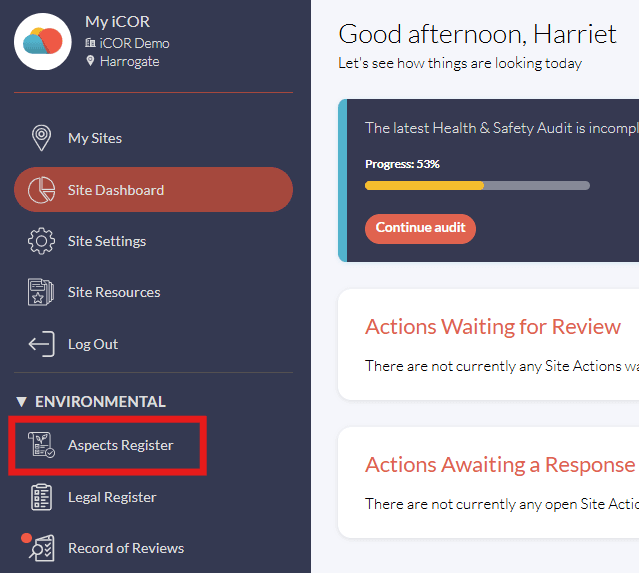
Click here when logged into iCOR to get started with your Significant Aspects Register.
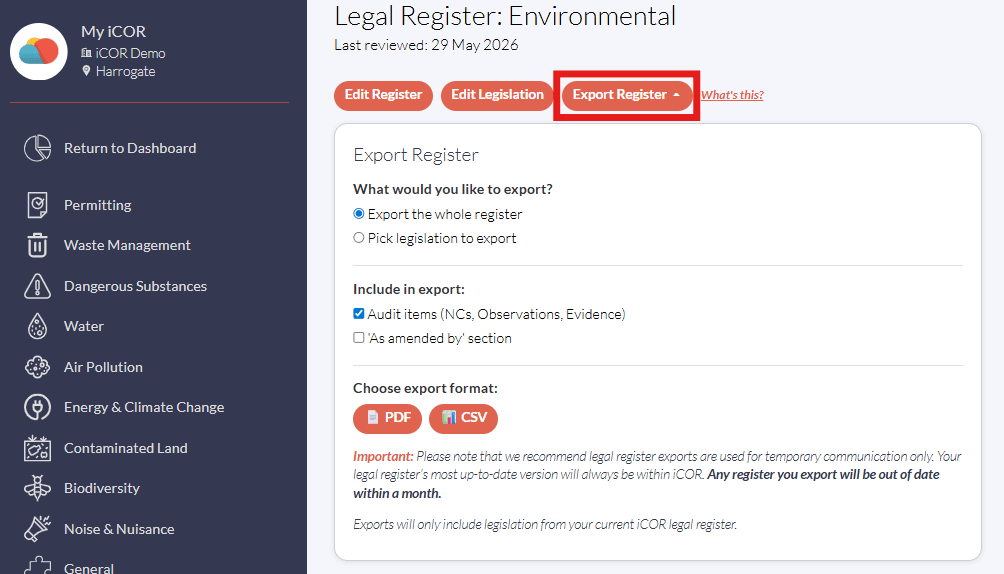
Important: Please note that we recommend legal register exports are used for temporary communication only. Your legal register's most up-to-date version will always be within iCOR. Any register you export will be out of date within a month.
NEW: Legal Register Export
You will now find an ‘Export Register’ button at the top of your Legal Register page in iCOR. You can now download your whole legal register, sections of your legal register, or individual pieces of legislation from iCOR as a CSV (spreadsheet) or PDF (formatted document).
One of our clients wrote to us to say, "Just tried the download option on the iCOR on the Legal Register. Must say, I like it a lot 😊 Just downloaded a PDF on COSHH; I will definitely be using that for my next toolbox talk. It has everything I need without any effort on my part…thank you."
RECENT: How-to guides
We all know that iCOR is pretty easy to use, but we've created some simple how-to guides in case you do ever get stuck. We're still adding to these and updating some articles to reflect some of the other changes we've made, so if you think we need to add anything specific, please do let us know.
You can find a link to these guides within the 'Site Resources' section of iCOR.
RECENT: ISO Procedures
Also within the 'Site Resources' section are some new ISO procedure documents. These are designed to give auditors an overview of how your business uses iCOR to satisfy clauses within ISO standards. They're all written out for you, and we're adding more in the coming weeks to make your accreditation journey that little bit easier!
Find them in your iCOR account under 'Site Resources' when viewing a site.

RECENT: Insights
Outside of your iCOR account, we've launched an 'Insights' section on the iCOR website and we're posting weekly articles on environmental and health & safety topics.
It's a great resource to see what's happening in the EHS space and widen your knowledge on some specific topics. Our team is posting every week, so keep an eye out!
You can get to the Insights page by clicking here.
RECENT: Get help with a question
At iCOR we're constantly reviewing the questions in our intelligent self-audits to ensure that they're as simple as possible to answer, and that you're given all the information you need to provide an informed and accurate response.
Sometimes, especially if your operations are a little nuanced and unique, the question may not have a clear answer.
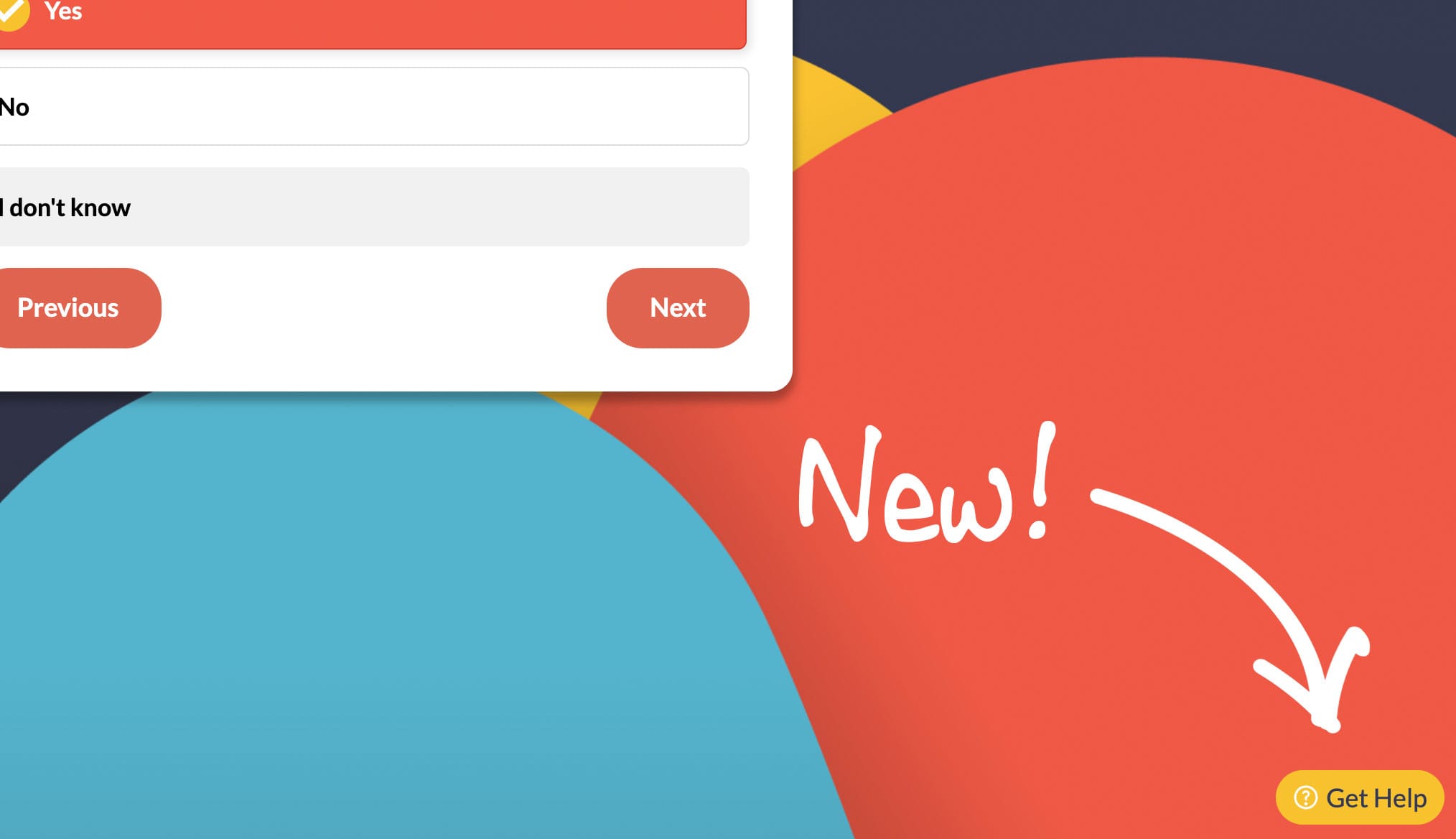
So, we've added a 'Get Help' button to all questions, which will allow you to submit a query to our team of experts. As this will likely pause your audit, we're looking into ways to further streamline this help process, but for now this will open up a dialogue that should clarify any queries you may have with the audit questions.
That's all from us. If you have any further questions or comments regarding the new features, or anything else, then please just get in touch.